Growth strategy
How to Measure Website Inquiries: A Practical Guide for Business Owners
Separate contact clicks from received inquiries. Use a practical checklist to test forms, check delivery and build a useful inquiry report for your business.
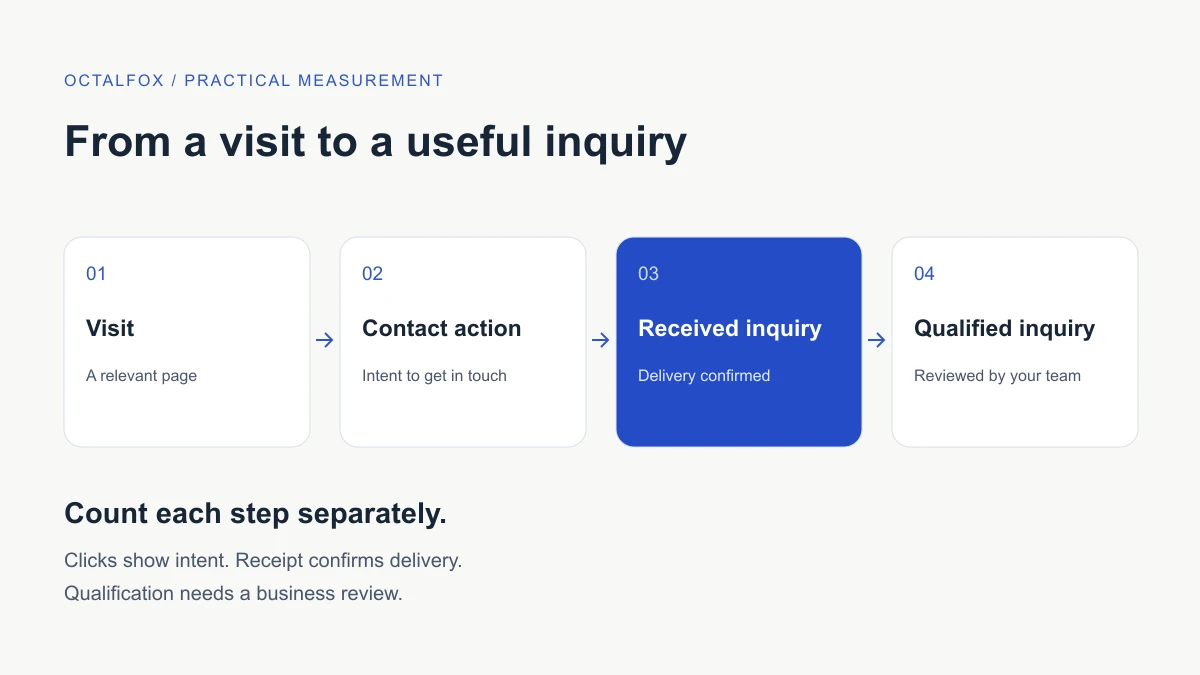
To measure website inquiries, define the action you want, confirm that the inquiry reaches your business, and count it consistently. A click on a contact button shows intent. It does not prove that someone sent a message, reached your team or became a suitable customer.
Start with one important journey, such as a service page leading to an inquiry form. Agree what each stage means before changing the website or comparing marketing channels. This guide helps business owners and their website teams build a small, useful measurement process.
Define what counts as an inquiry
Write a plain-language definition that your marketing and receiving teams can both use. For example: “A new service request successfully recorded in our inquiry system, excluding tests, spam and duplicate submissions.” Decide how follow-up messages and existing customers will be handled.
Keep the stages separate:
| Signal | What it tells you | What it cannot establish alone |
|---|---|---|
| Service page visit | Someone reached a relevant page | Whether they wanted to contact you |
| Contact button click | Someone selected a contact route | Whether a conversation happened |
| Successful form acceptance | The website accepted the submission | Whether the receiving team can access it |
| Received inquiry | The request reached the agreed inbox or system | Whether it is a suitable opportunity |
| Confirmed booking | A booking was completed in the booking system | Whether the person attended or bought |
| Qualified inquiry | The business reviewed the request against agreed criteria | Whether it will become a sale |
Your primary measure may be received inquiries, confirmed bookings or qualified requests. Choose the stage that fits the business decision. Keep earlier stages as diagnostic information rather than adding them together into one lead total.
Map the journey and name an owner
List the page, contact route, receiving destination and person responsible for checking it. Include routes that leave the website: a booking provider, telephone link or messaging app can create a gap between a click and a confirmed outcome.
For each route, record:
- What successful completion looks like.
- Where the inquiry is stored and who receives it.
- Which system supplies the count.
- Who investigates a delivery failure.
- Any known measurement gaps.
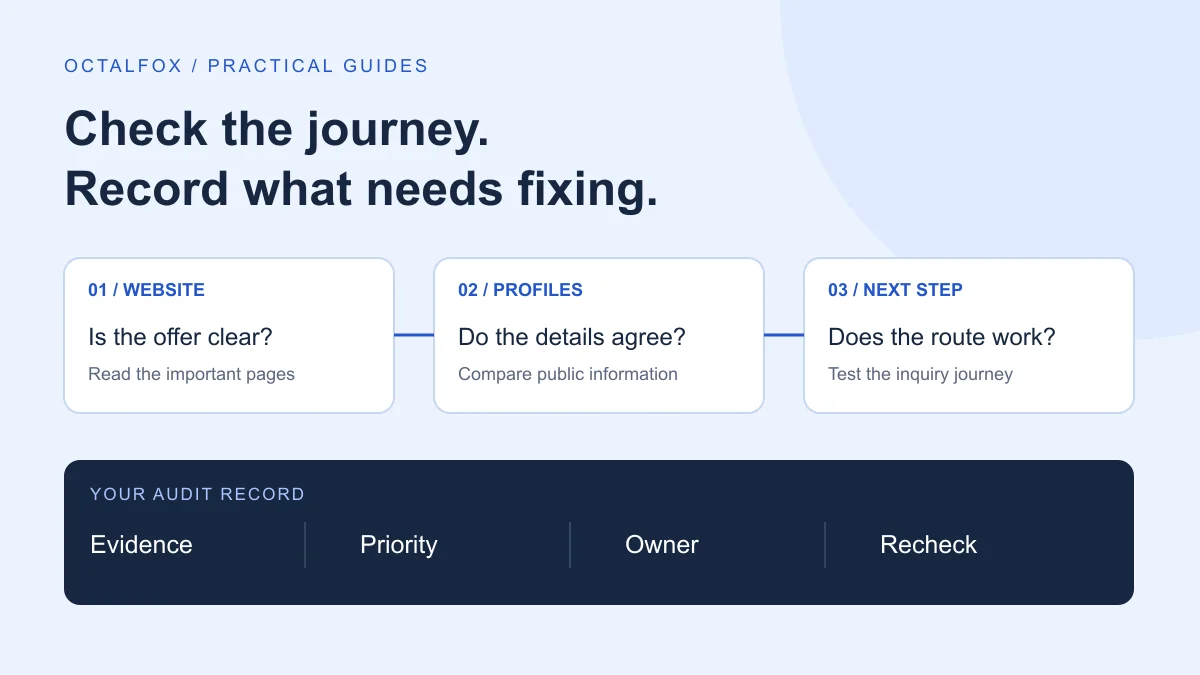
The digital presence audit checklist can help you inventory these destinations. If visitors hesitate before making contact, the clinic inquiry friction guide covers common journey problems in a clinic context.
Check the event behind the number
Ask your website team to explain exactly when a reported event fires. A submit-button click can happen before validation succeeds. A form can also show a success message while a later email delivery step fails.
For an accepted-submission measure, the event should represent confirmed acceptance by the form system. Check receipt separately at the agreed destination. Where possible, use a private submission reference to reconcile records without putting personal details into analytics.
Google Analytics distinguishes visits, form starts and form submissions in its lead measurement guidance. Treat any automatically collected form events as something to verify against your actual form implementation. Their presence does not confirm business receipt.
If you use GA4, select a specific, meaningful action as a key event. Avoid counting every form on the site as the same outcome: a newsletter subscription and a service request serve different purposes. Google’s key event guide explains how events can be matched to the action you want to measure. Have the person maintaining your analytics validate the configuration before using it to make spending decisions.
Test the complete handoff
Arrange a clearly labelled test with the receiving team. Use approved test details and avoid real customer information. Check on mobile as well as desktop, particularly if the form changes layout or uses a separate booking tool.
| Test | Expected result |
|---|---|
| Open the form without submitting | No successful-submission event |
| Submit with a required field missing | Clear error; no accepted inquiry counted |
| Complete a valid test submission | One accepted submission and a usable confirmation |
| Check the receiving destination | The test appears where the responsible person expects it |
| Refresh the confirmation page | No extra inquiry counted solely because of the refresh |
| Check the report after its processing window | The expected test action is identifiable and can be excluded |
If the form intentionally permits multiple requests, define how those are counted. The goal is to prevent accidental duplication, not to discard legitimate repeat business.
Record the test date, route, result and owner. When something fails, identify the stage: browser validation, form acceptance, delivery, notification or reporting. A missing email notification is different from a missing record in the inquiry system, and each needs its own fix.
Account for calls, messaging and booking tools
A telephone-link click does not prove that a call connected. A messaging-link click does not prove that a message was sent. Report these as contact actions unless you have a reliable way to confirm the later outcome.
For external booking services, check whether the provider offers confirmed-booking records and a supported measurement integration. Test cancellations and duplicate confirmations if these affect your definition. Do not infer a completed booking from an outbound click or a return-page visit alone.
Your receiving team can maintain a simple private tally of confirmed inquiries when technical integration is unavailable. Record the limitation alongside the report. Keep unverified channel attribution labelled as unknown rather than assigning every inquiry to the last campaign you remember running.
Build a report you can explain
Start with a weekly or monthly worksheet. Use the same definitions each period, and record changes to forms, campaigns or tracking. Separate all-business inquiry totals from the subset that website analytics can measure.
| Field | What to record |
|---|---|
| Period and scope | Dates, time zone and contact routes included |
| Relevant website activity | The chosen page or journey measure, with its source |
| Accepted submissions | Verified successful form actions, where available |
| Received inquiries | Deduplicated requests in the agreed receiving system |
| Qualified inquiries | Requests meeting your written business criteria |
| Exclusions | Tests, spam and duplicates removed using a consistent rule |
| Known gaps | Unmeasured calls, missing attribution or tracking changes |
| Next action | One issue to investigate and the person responsible |
If you report a conversion rate, state the numerator and denominator. Both must describe the same measurable population and period. Dividing every inquiry in a sales system by a partial set of tracked website sessions can produce a misleading rate.
Avoid treating a small change as proof of improvement. Check whether traffic mix, campaign activity, seasonality or measurement changed. Missing analytics data can also reflect consent choices or blocked tracking; it does not establish that no inquiry occurred.
Keep personal details out of analytics
Use analytics to describe actions, not to store the contents of an inquiry. Keep names, email addresses, phone numbers and message text out of event parameters, page titles and URLs sent to analytics. Check whether forms place submitted information in a query string or confirmation URL.
Google’s guidance on avoiding personally identifiable information highlights these leakage routes. Automated redaction is not a replacement for reviewing what your website sends. Keep any reconciliation worksheet containing customer details in the business system with appropriate access, separate from the general performance report.
Use the findings to choose the next improvement
If people select the contact route but do not complete it, inspect the form and its requirements. If submissions are accepted but requests do not reach the team, investigate the handoff. If inquiries arrive but are unsuitable, review the offer, audience and qualification criteria before adding more fields.
Choose one problem, make the agreed change and repeat the same checks. Keep a dated note so later reports have context. You do not need a large dashboard to establish whether the inquiry journey works.
OctalFox’s conversion rate optimization service connects journey review with measurement checks and a prioritized improvement plan. If you want help defining the scope, share your website and the inquiry route you want to review.