
Growth strategy
Digital Presence Audit Checklist: Your Website and Business Profiles
Audit your website and business profiles with a practical checklist. Record evidence, prioritise gaps and assign owners for clear, consistent customer journeys.
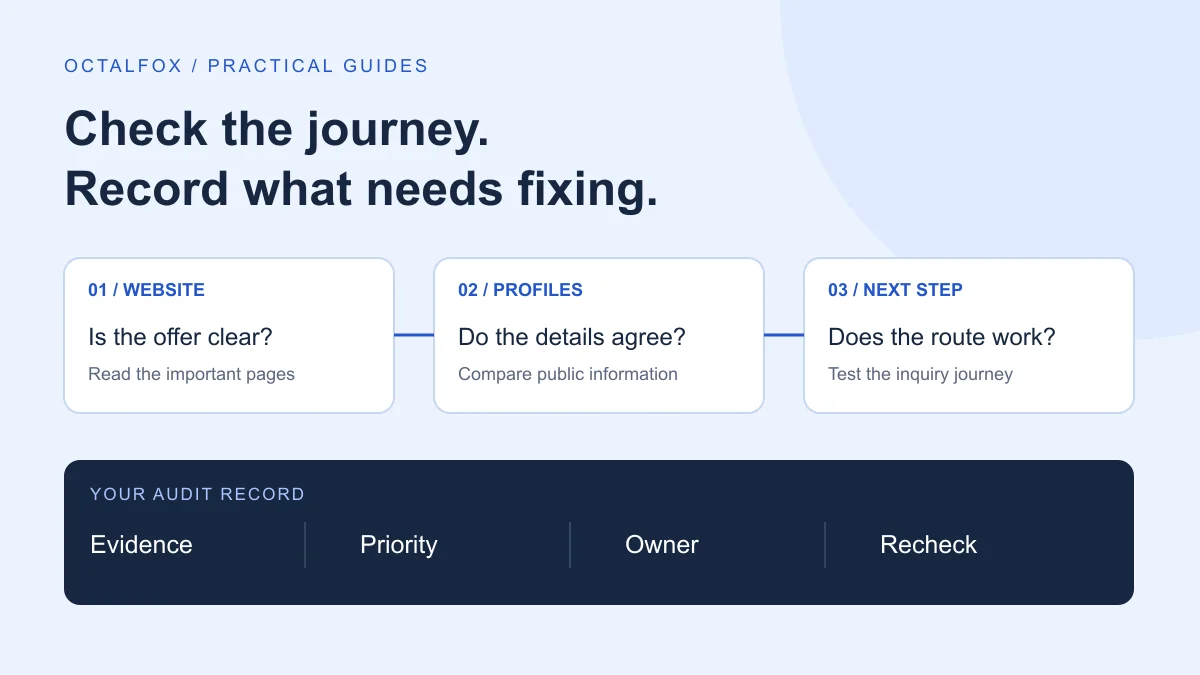
A digital presence audit checks what a prospective customer can find about your business, whether that information agrees across channels, and whether the next step works. Start with your website and the public profiles your customers actually use. Record specific problems before deciding to redesign the website, publish more content or join another platform.
The useful output is a short action list: what is wrong, where you saw it, why it matters, who will fix it and how you will verify the fix. This checklist helps a business owner or small team produce that list without turning the exercise into a technical investigation of everything online.
Define the customer journey you will check
Choose one service or product, one intended audience and one action. For example: a clinic owner checking whether a prospective patient can understand a service and find the appropriate appointment route. A software business might instead follow the path from a LinkedIn profile to a demo request.
Write down where that person is likely to begin. Include your website, relevant search results, business listings, social profiles and any third-party directory that genuinely influences a purchase. You do not need an account on every platform to complete an audit.
Keep this task separate from choosing your overall channel mix. The digital presence strategy guide explains that wider decision. Here, you are checking the experience a person encounters today.
Make an inventory before changing anything
Use a spreadsheet or shared document. List each public URL, its purpose, the person responsible for it and when someone last checked it. Record who can access the account in your private access register; do not paste passwords or recovery codes into the audit worksheet.
| Place to check | Question to answer | Evidence to keep |
|---|---|---|
| Main website | Can a new visitor understand the offer and reach the right next step? | Page URL and a short observation |
| Business listing | Are the services, location or service area and contact details accurate? | Listing URL and the field needing correction |
| Active social profile | Does the description still match what the business offers? | Profile URL, description and destination link |
| Relevant directory | Does it describe the right business and point to a current page? | Directory entry and any mismatch |
| Booking or inquiry destination | Can a visitor complete the intended action? | Test date and result, using clearly labelled test details |
Include old profiles you discover, even if nobody currently maintains them. First establish ownership and the appropriate correction route. Do not remove useful pages or close accounts simply to make the inventory shorter.
Check business details and the offer
Compare the business name, public contact details, opening hours where relevant, website address and service descriptions. A shortened description is fine when a platform has less space. A contradiction needs attention: one profile says you offer a service that the website says you have stopped providing.
Check these items against an approved internal record:
- The name customers recognise and the correct logo.
- Current services, products and audiences served.
- Accurate locations or service areas, where these apply.
- Working public contact routes and current hours.
- Claims, qualifications and project examples that can be supported.
Do not manufacture identical wording everywhere. Keep the meaning accurate and adapt the explanation to the platform. For an eligible local business using Google Business Profile, check Google’s guidelines for representing a business before changing names, addresses or categories. A profile is not appropriate for every business model.
Review the website from a visitor’s starting point
Open an important service page directly, rather than always entering through the homepage. Can someone tell who the service is for, what is included and what happens after they inquire? Check that supporting examples relate to the offer and are clearly described.
Read the page on your phone. Look for obscured text, awkward menus, unreadable images and forms that are difficult to complete. Follow its links. If a profile advertises a particular service but sends visitors to an unrelated page, record that gap.
Separate observations from assumptions. “The contact button opens a missing page” is a verified issue. “Visitors dislike our colours” is a hypothesis unless you have evidence. The first belongs in the repair queue; the second may need research before design work.
For a website problem that needs design work, review web design support. An audit can also identify small corrections that do not justify a full redesign.
Test the route from interest to inquiry
Choose one route and follow it end to end: profile link, relevant page, contact button, form or booking step, confirmation and staff receipt. Check what a visitor is told about response times and whether someone owns the follow-up.
Coordinate a test with the receiving team. Use clearly labelled test details and avoid entering sensitive customer information. Record whether the message arrived in the right place; a success message on the screen alone does not confirm that staff received it.
For clinics, distinguish a general inquiry from an appointment request or a confirmed booking. The online booking and inquiry form guide explains those different workflows. Do not test a live booking in a way that quietly reserves staff time or creates an unrecognised patient record.
Separate search discovery from a working live page
A page can open correctly in a browser and still have an indexing issue. In a Search Console property you control, inspect the exact important URL. Record the reported index status separately from a live test of whether Google can access the current page.
Google’s URL Inspection documentation explains that the indexed result and live test answer different questions. A successful live test does not prove a page is already indexed, and indexing does not guarantee visibility for a particular search.
For the wider review, compare relevant search queries with the page people reach. Is Google showing a service page for a sensible topic, or are impressions coming from unrelated searches? Keep brand searches, useful non-brand searches and irrelevant queries separate when drawing conclusions.
Google’s SEO Starter Guide also recommends useful, organised content and descriptive links. Treat these as foundations. An audit score is not a prediction of rankings or AI recommendations.
Turn the findings into a manageable action list
Use three priorities. Fix broken customer routes first. Then correct misleading or contradictory information. Plan lower-impact improvements after the essential journey works. An unchecked item is a question to investigate, not automatically a failure.
| Priority | Illustrative finding | Next action | Completion evidence |
|---|---|---|---|
| Fix first | The main inquiry link opens a missing page | Restore the intended destination and test the full route | Correct page opens and the labelled test reaches the team |
| Correct next | A profile lists a service you no longer provide | Confirm the current offer and update the affected description | Public description matches the approved service scope |
| Plan | Useful content has no clear next step | Choose a relevant destination and add a contextual link | Link works and helps the reader continue |
These are examples, not findings from a client audit. Give every real action an owner and a review date. “Improve social media” is too broad; “replace the outdated service description on the company profile, then verify the public version” is reviewable.
Copy this worksheet for each finding
- Customer journey: Which audience, offer and next action are you checking?
- Location: What is the exact page or profile URL?
- Observation: What did you see, and when?
- Evidence: What screenshot, test result or report supports it?
- Impact: Does it block an inquiry, mislead a customer or create extra work?
- Priority: Fix first, correct next, plan, or investigate further.
- Action and owner: What will change, and who is responsible?
- Review date: When will someone check it again?
- Completion check: What result will show the repair worked?
Review improvements against a baseline
Keep the original observations and the dates of your changes. Recheck the affected journey after each repair. For ongoing measurement, agree what a qualified inquiry means and who records it, alongside relevant search impressions, clicks and completed website actions.
Compare equivalent periods and markets. Note reporting delays, small samples and other changes such as advertising or a new offer. A rise in impressions alone cannot establish that an audit produced more suitable customers.
Assign a regular review and repeat the affected checks when services, hours, staff responsibilities or platforms change. The website maintenance guide can help you separate routine upkeep from larger improvement work.
Choose the next piece of work from the evidence
Finish with a few specific actions your team can complete and verify. If the main issue is conflicting descriptions, align the information first. If the route to inquiry fails, repair and test it. If the business is accurately represented but hard to discover, investigate the audience, content and search evidence before adding channels.
OctalFox’s customer acquisition approach connects those decisions with the offer, website and follow-up process. If you need help deciding which gaps deserve attention, share your website, main profiles and intended customer journey. That gives the discussion a concrete starting point.